Class Index | File Index

Classes


Class BO.Pin

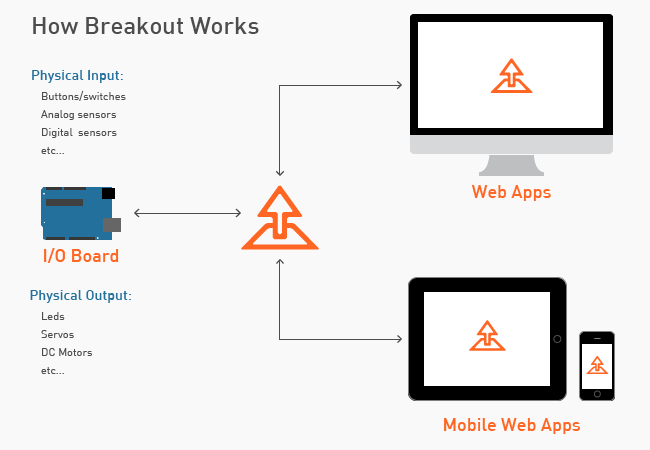
Each analog and digital pin of the physical I/O board is represented by a Pin object. The Pin object is the foundation for many of the io objects and is also very useful on its own. See the Using The Pin Object Guide on http://breakoutjs.com for a detailed overview.

Defined in: Pin.js.

Class Summary
Constructor Attributes Constructor Name and Description
 
BO.Pin(number, type)
An object to represent an IOBoard pin
Field Summary
Field Attributes Field Name and Description
<static> <constant>  
BO.Pin.AIN
 
[read-only] The analog pin number used by the IOBoard (printed on board or datasheet).
<static> <constant>  
BO.Pin.AOUT
 
[read-only] The average value of the pin over time.
<static> <constant>  
BO.Pin.DIN
<static> <constant>  
BO.Pin.DOUT
 
Get and set filters for the Pin.
 
[read-only] Get a reference to the current generator.
<static> <constant>  
BO.Pin.HIGH
<static> <constant>  
BO.Pin.I2C
 
[read-only] The last pin value.
<static> <constant>  
BO.Pin.LOW
 
[read-only] The maximum value of the pin over time.
 
[read-only] The maximum PWM value supported for this pin.
 
[read-only] The minimum value of the pin over time.
 
[read-only] The pin number corresponding to the Arduino documentation for the type of board.
<static> <constant>  
BO.Pin.OFF
<static> <constant>  
BO.Pin.ON
 
[read-only] The value before any filters were applied.
<static> <constant>  
BO.Pin.PWM
<static> <constant>  
BO.Pin.SERVO
<static> <constant>  
BO.Pin.SHIFT
 

[read-only] The state of the pin.

<static> <constant>  
 
The current digital or analog value of the pin.
Method Summary
Method Attributes Method Name and Description
 
addEventListener(type, listener)
 
addFilter(newFilter)
Add a new filter to the Pin.
 
addGenerator(newGenerator)
Add a new generator to the Pin.
 
Resets the minimum, maximum, average and lastValue of the pin.
 
dispatchEvent(type, optionalParams)
 
An object storing the capabilities of the pin.
 
The type/mode of the pin (0: DIN, 1: DOUT, 2: AIN, 3: AOUT / PWM, 4: SERVO, 5: SHIFT, 6: I2C).
 
 
Removes all filters from the pin.
 
removeEventListener(type, listener)
 
removeFilter(filterToRemove)
Remove a specified filter from the Pin.
 
Removes the generator from the pin.
Event Summary
Event Attributes Event Name and Description
 
The change event is dispatched when the pin value decreased (from 1 to 0).
 
The pinChange event is dispatched when the pin value changes.
 
The risingEdge event is dispatched when the pin value increased (from 0 to 1).
Class Detail
BO.Pin(number, type)
An object to represent an IOBoard pin
Parameters:
{Number} number
The pin number
{Number} type
The type of pin
Field Detail
<static> <constant> BO.Pin.AIN

{Number} analogNumber
[read-only] The analog pin number used by the IOBoard (printed on board or datasheet).

<static> <constant> BO.Pin.AOUT

{Number} average
[read-only] The average value of the pin over time. Call clear() to reset.

<static> <constant> BO.Pin.DIN

<static> <constant> BO.Pin.DOUT

{FilterBase} filters
Get and set filters for the Pin.

{GeneratorBase} generator
[read-only] Get a reference to the current generator.

<static> <constant> BO.Pin.HIGH

<static> <constant> BO.Pin.I2C

{Number} lastValue
[read-only] The last pin value.

<static> <constant> BO.Pin.LOW

{Number} maximum
[read-only] The maximum value of the pin over time. Call clear() to reset.

{Number} maxPWMValue
[read-only] The maximum PWM value supported for this pin.

This is the max PWM value supported by Arduino (currently 255) rather than the max PWM value specified by the microcontroller datasheet.


{Number} minimum
[read-only] The minimum value of the pin over time. Call clear() to reset.

{Number} number
[read-only] The pin number corresponding to the Arduino documentation for the type of board.

<static> <constant> BO.Pin.OFF

<static> <constant> BO.Pin.ON

{Number} preFilterValue
[read-only] The value before any filters were applied.

<static> <constant> BO.Pin.PWM

<static> <constant> BO.Pin.SERVO

<static> <constant> BO.Pin.SHIFT

{Number} state

[read-only] The state of the pin. For output modes, the state is any value that has been previously written to the pin. For input modes, the state is typically zero, however for digital inputs the state is the status of the pullup resistor.

This propery is populated by calling the queryPinState method of the IOBoard object. This is useful if there are multiple client applications connected to a single physical IOBoard and you want to get the state of a pin that is set by another client application.


<static> <constant> BO.Pin.TOTAL_PIN_MODES

{Number} value
The current digital or analog value of the pin.
Method Detail
addEventListener(type, listener)
Parameters:
{String} type
The event type
{Function} listener
The function to be called when the event is fired

addFilter(newFilter)
Add a new filter to the Pin.
Parameters:
{FilterBase} newFilter
A filter object that extends FilterBase.
See:
BO.filters.Convolution
BO.filters.Scaler
BO.filters.TriggerPoint

addGenerator(newGenerator)
Add a new generator to the Pin. A pin can only have one generator assigned. Assigning a new generator will replace the previously assigned generator.
Parameters:
{GeneratorBase} newGenerator
A generator object that extends GeneratorBase.
See:
BO.generators.Oscillator

clear()
Resets the minimum, maximum, average and lastValue of the pin.

dispatchEvent(type, optionalParams)
Parameters:
{PinEvent} type
The Event object
{Object} optionalParams
Optional parameters to assign to the event object. return {boolean} True if dispatch is successful, false if not.

{Object} getCapabilities()
An object storing the capabilities of the pin.
Returns:
{Object} An object describing the capabilities of this Pin.

{Number} getType()
The type/mode of the pin (0: DIN, 1: DOUT, 2: AIN, 3: AOUT / PWM, 4: SERVO, 5: SHIFT, 6: I2C). Use IOBoard.setDigitalPinMode(pinNumber) to set the pin type.
Returns:
{Number} The pin type/mode

hasEventListener(type)
Parameters:
{String} type
The event type return {boolean} True is listener exists for this type, false if not.

removeAllFilters()
Removes all filters from the pin.

removeEventListener(type, listener)
Parameters:
{String} type
The event type
{Function} listener
The function to be called when the event is fired

removeFilter(filterToRemove)
Remove a specified filter from the Pin.
Parameters:
{FilterBase} filterToRemove
The filter to remove.
See:
BO.filters.Convolution
BO.filters.Scaler
BO.filters.TriggerPoint

removeGenerator()
Removes the generator from the pin.
Event Detail
{BO.PinEvent.FALLING_EDGE} fallingEdge
The change event is dispatched when the pin value decreased (from 1 to 0).
This event has the following properties:
{BO.Pin} target
A reference to the Pin object.

{BO.PinEvent.CHANGE} pinChange
The pinChange event is dispatched when the pin value changes.
This event has the following properties:
{BO.Pin} target
A reference to the Pin object.

{BO.PinEvent.RISING_EDGE} risingEdge
The risingEdge event is dispatched when the pin value increased (from 0 to 1).
This event has the following properties:
{BO.Pin} target
A reference to the Pin object.

Documentation generated by JsDoc Toolkit 2.4.0 on Sun May 05 2013 16:30:02 GMT-0400 (EDT)